

Tables and open checks
Your own list of tables; each check belongs to one.
Waiters take the order on their phone, the kitchen and the bar see it at once, and at closing time the cash and card totals are already added up.
Each waiter opens a check for a table from your own list, adds what the customer orders and sends it to the kitchen or the bar.
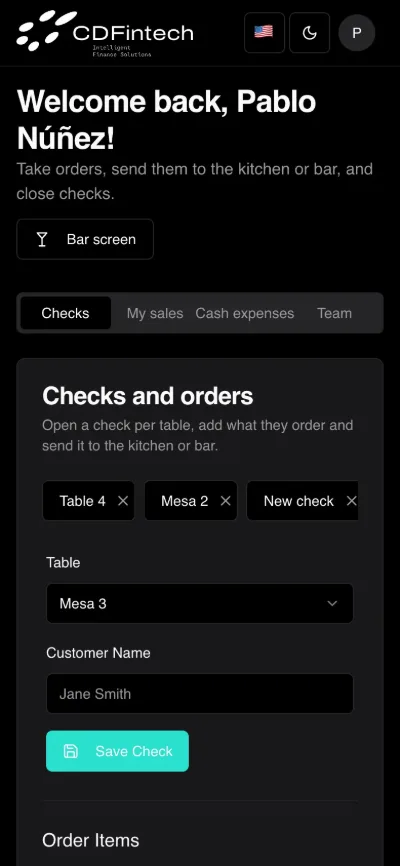
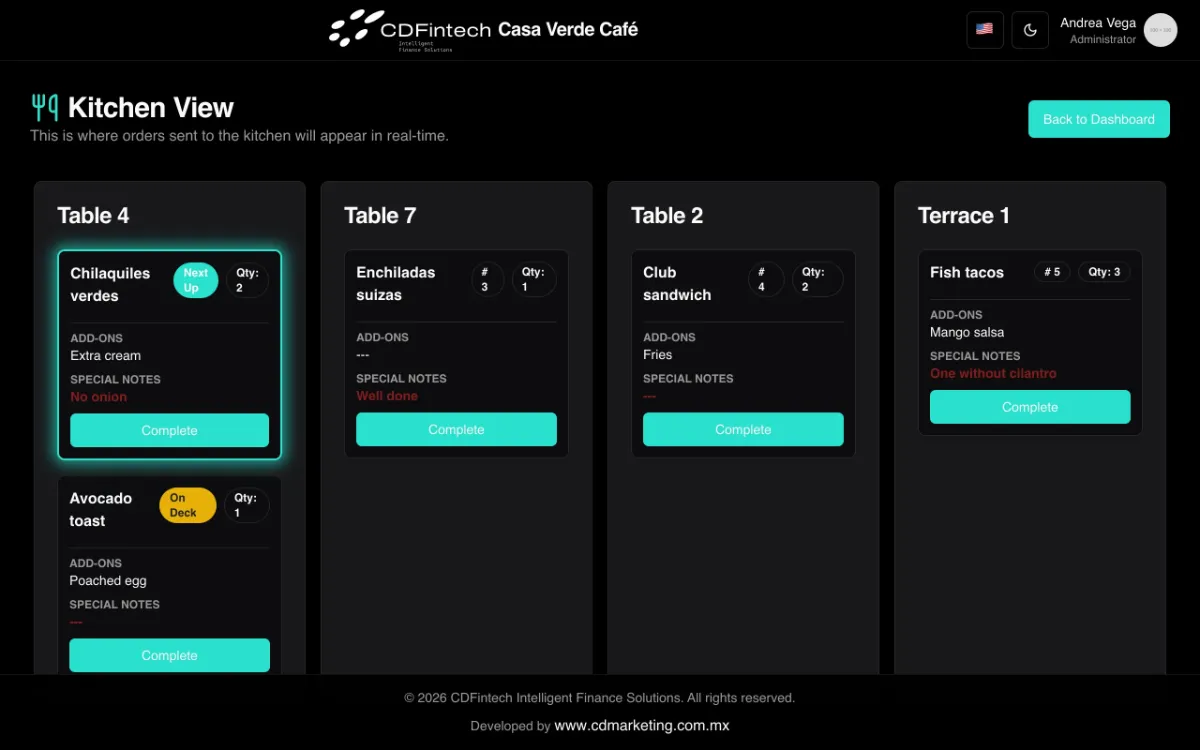
Each station sees its own orders by table as they come in. A waiter who also works the bar opens the bar screen from their own phone.
Your own list of tables; each check belongs to one.
Screens that update by themselves; each station sees its orders.
Add 10, 15 or 20% when charging. Tips are pooled per shift and split equally among the team.
How much cash must be in the register and how much was charged by card, line by line.
The check’s total goes straight to the terminal; when the customer pays, the check closes as a card payment.
Print the customer’s check with your logo.
Waiters record what was paid from the register (ice, supplies) and it comes off the cash total.
8 languages; order notices arrive in the waiter’s language.
From the table to the kitchen screen, on the waiter’s own phone.
This is how a waiter takes an order in CDFintech, from the table to the kitchen. Open the check: choose the table and, if you like, type the customer’s name. Add what they order. Choose the category and the product. Add priced extras and leave a note for the kitchen. For a drink, tap Add another item. If it comes in sizes, choose one. Tap Send all to preparation. The kitchen and the bar get it right away. This is the kitchen’s screen. When the dish is ready, tap Complete and the waiter gets a notice. The bar does the same with the drinks. To charge, open the table’s check, add the tip and choose how the customer pays. Tap Close check. The sale is saved with its tip and payment method. Done. Find more step-by-step videos at cdfintech.info.
Thanks to CDFintech we have greatly improved our response times to customers at our place. It has also helped us keep our sales and expense records much more efficiently.
Free trial: 7 days on the monthly plan, 30 days on the yearly plan.
Equal to US$32.50 a month
Prices in US dollars. In Mexico: $719 MXN a month or $7,190 MXN a year, VAT included. Your card is charged only when the free trial ends: 7 days on the monthly plan, 30 days on the yearly plan.
No. Waiters use their own phone, and the kitchen and bar screens open in the browser of any tablet or computer.
Tips are pooled per shift and split equally among the people you choose. How to split tips by shift.
Cash close shows how much cash must be in the register and how much was charged by card, line by line. How to do a cash close.
Yes. It works the same for a café with two servers as for a restaurant with a kitchen and a bar, and there is no user limit.
Free trial: 7 days on the monthly plan or 30 days on the yearly plan.
We use a visit log to measure our site. You can decline it. Privacy Policy